How to Pay a QR Code with Cash App (Lightning)
Pay securely in seconds with a simple QR code. Use Cash App with your Cash balance
Your order total is included in the QR code. Just scan, review, and confirm. No payment is made until you approve it in your wallet.
You can download Cash App directly from the App Store or Google Play.
 Pay with Cash App — the fastest way
If you're in the US and have Cash App on your phone, this is the quickest road: it takes just a few seconds, you pay from your Cash balance, and you never buy or hold bitcoin — Cash App converts for you.
After scanning a Lightning QR code, you can toggle the “Cash” currency option within Cash App, which will pull the funds from your Cash balance.
Step 1 — Open Cash App
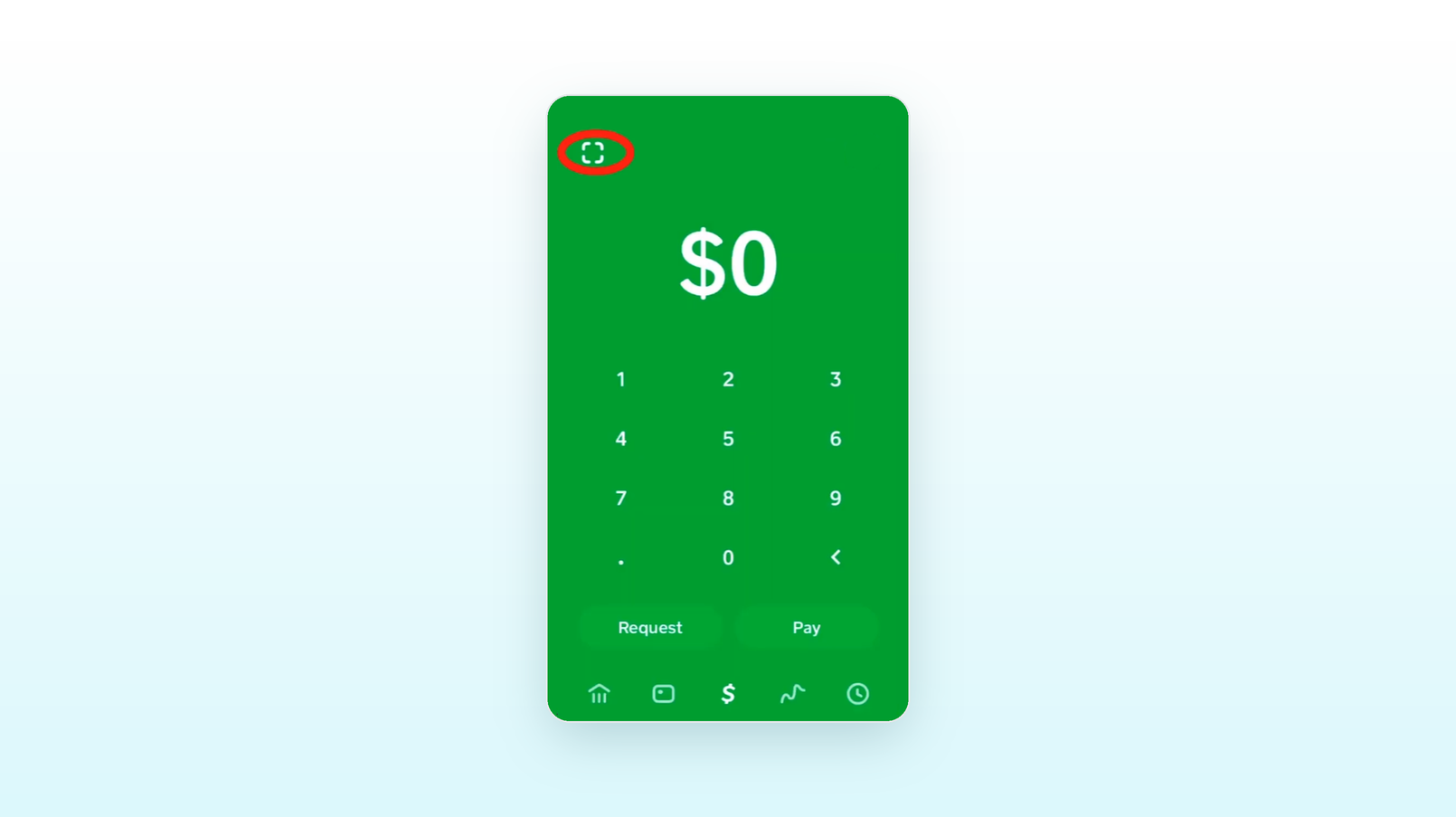
Open Cash App on your phone and go to the Payments ($) tab.
Step 2 — Scan the QR code
Tap the QR scanner in the top-left corner and point your camera at the code on the checkout page.
Paying on your phone? Tap Open in Cash App button under the QR code.
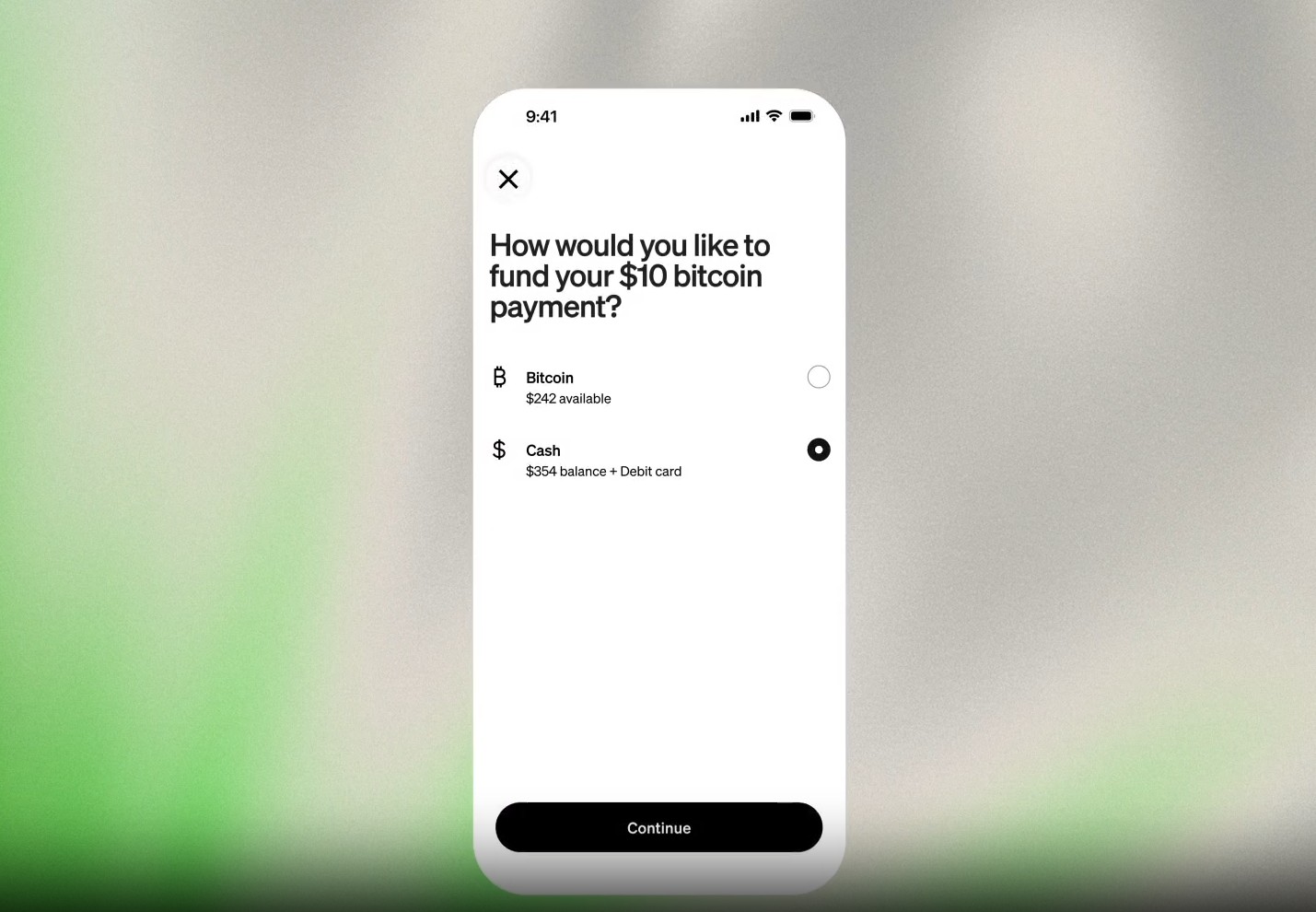
Step 3 — Choose your Cash balance (USD)
When Cash App asks for a source of funds, pick your Cash balance — not Bitcoin. Cash App turns your dollars into the payment behind the scenes.
Step 4 — Confirm your payment
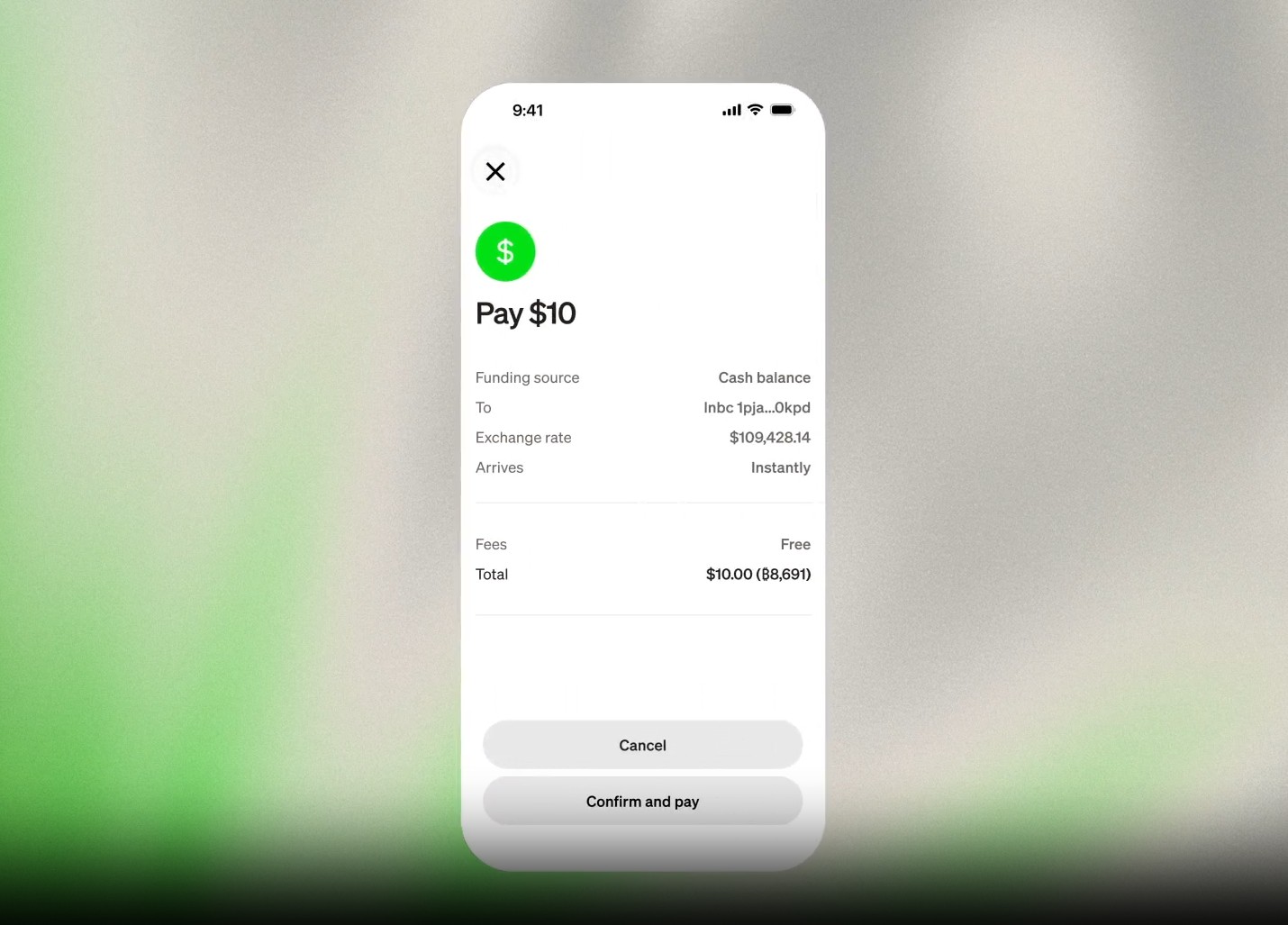
Review the amount and any fee shown by Cash App, then confirm the payment.
Wait a few seconds and your checkout page will update to Payment received once the payment is confirmed on Cash App.
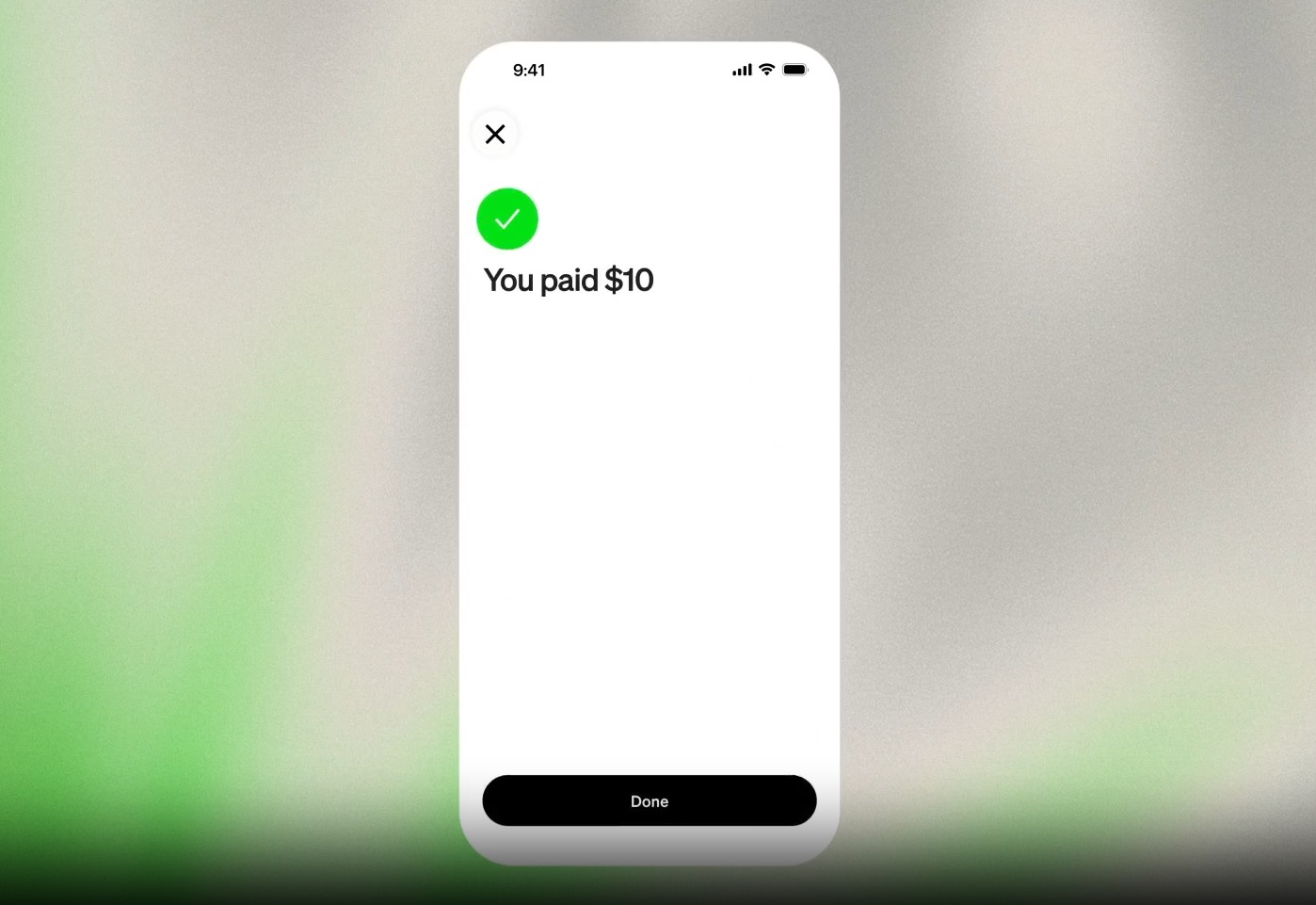
Congratulations! Your payment is complete. Now you can download your files.
Can't pay with your Cash balance?
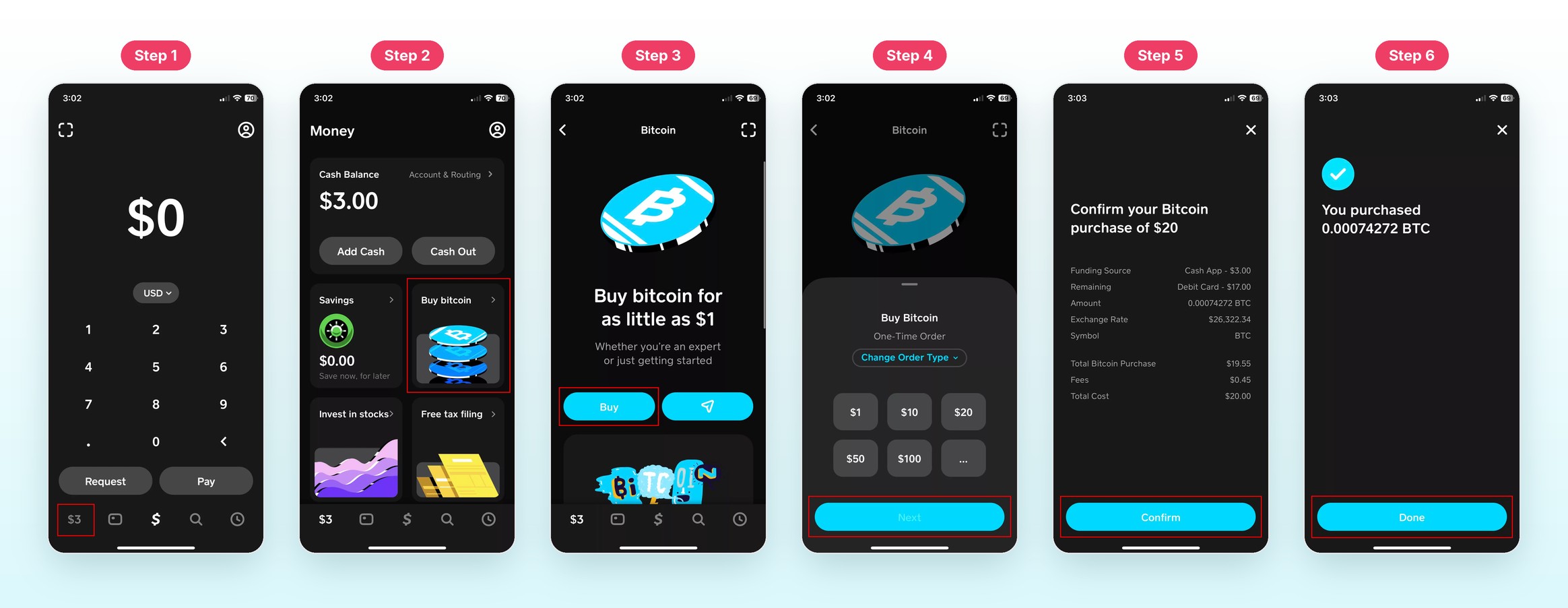
USD payments are available only to eligible Cash App accounts. You can still pay using bitcoin — buying a little bitcoin in Cash App is quick and easy.
- In Cash App, go to Money → Bitcoin → Buy and purchase a little more than your total. See How to Buy bitcoin on Cash App.
- Go to Money → Bitcoin → Transfer icon → Send bitcoin and scan the QR code (top-right corner) on the checkout page. Alternatively, tap Copy invoice and paste it into the invoice field.
- Review the amount and any applicable fee, then confirm the payment.
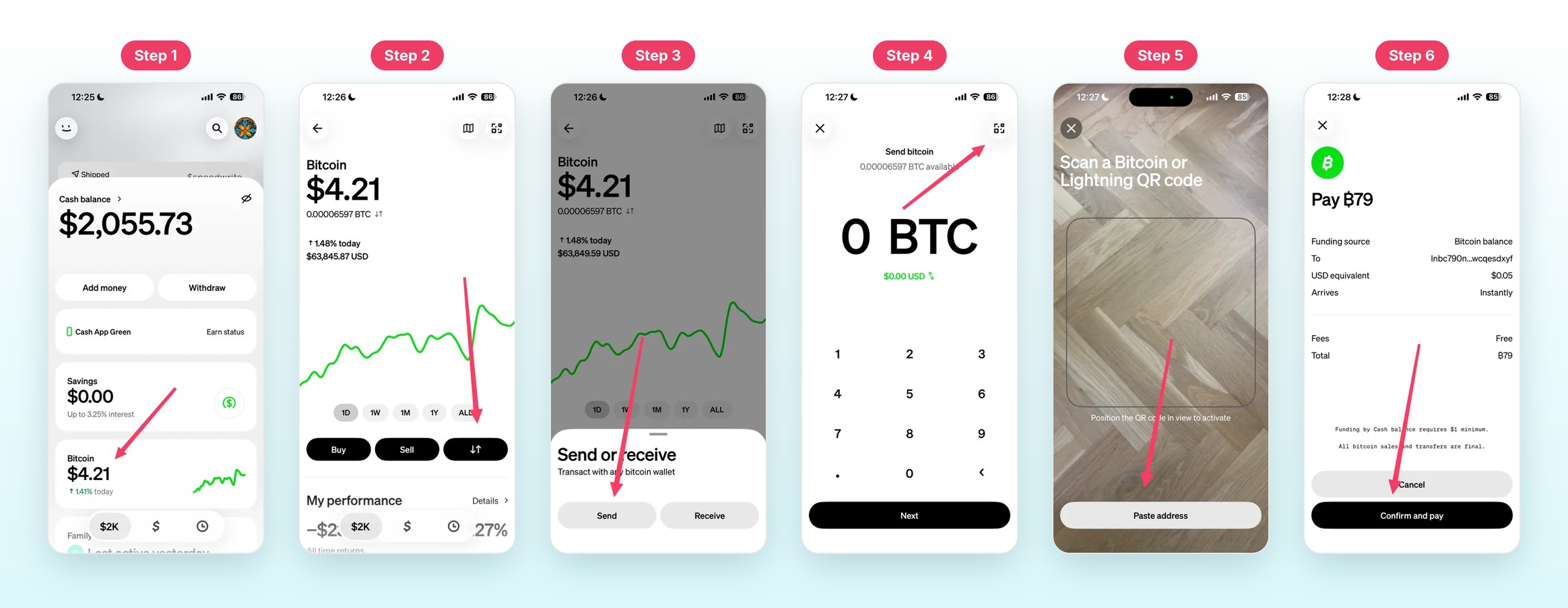
That's it! Your payment will be processed in seconds.
Read more: Cash App's guide to Lightning payments.
Good to know
- The code is valid for 60 minutes. If it expires, nothing is charged — press Buy now again for a new one.
- The amount and the description are already in the code. Don't change them when paying; pay exactly what is shown.
- One code, one payment. If your wallet says paid, don't pay again — the checkout page updates within seconds.
- Keep the checkout page open until it says Payment received — your download appears right there.
Don't have Cash App? See How to pay with any Lightning wallet.